Can't get what you are looking for, or need some help?
Can't get what you are looking for,
or need some help?
Talk to us
Call me back
Email us
business@safaricom.co.ke
Call us
+254 722 002 222
Company
Discover
Terms of Service
Customer Support
+254 722 002 222
business.support@safaricom.co.ke
business@safaricom.co.ke
© 2026 Safaricom Business. All Rights Reserved.
Company
Discover
Terms of Service
Customer Support
+254 722 002 222
business.support@safaricom.co.ke
business@safaricom.co.ke
© 2026 Safaricom Business. All Rights Reserved.
Back to top
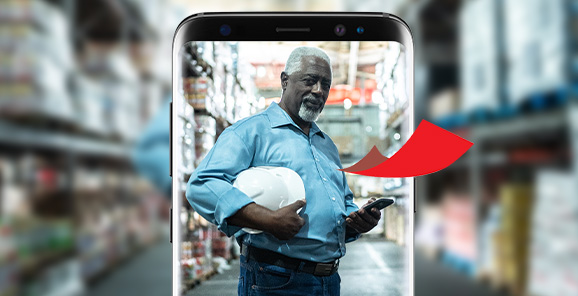
A simple, secure way to receive payments and manage your business funds all on your M-Pesa line.

Why Choose Pochi La Biashara
Offers a simple, secure solution designed for small business owners allowing you to receive payments directly into a dedicated business wallet while keeping your personal money separate. This helps you stay organized, plan better, and manage your business finances with ease.
Dial *334#
Benefits
Simple sign up process
No paper work is involved.
Simple Access to Mini statements
Access to Mini statements showing the latest top transaction.
Earn 5% Commission
Sell airtime and earn a 5% commission on value sold.
Frequently asked questions (FAQs)
This is a product that allows M PESA to register customers who own informal businesses such as: food vendors, kiosk owners, boda boda operators, secondhand clothes dealers among others, to receive and separate business funds from personal funds on their M PESA number.
Customers can pay to Pochi merchant using. • M-PESA App • USSD *334# • Safaricom Toolkit Menu (STK)
No new mobile number or till will be issued. Pochi la Biashara will be activated on the existing SIM card that is registered n M-PESA. It will therefore use the same mobile number as M-PESA.
The service is accessed via: • USSD, *334# • M-PESA Super APP
Normal M-PESA limits of KSh 250,000 per transaction and KSh 500,000 per day apply.
On M-PESA App • Via USSD *334# menu • SIM Toolkit (Safaricom) Menu
The service is accessed through: • M-PESA App. • USSD, *334# On the M-PESA App; the merchants can access the following services: • Move money from Pochi to their M-PESA account. • Pay to Buy Goods, Paybill, or mobile number. • View Balance • View Statement • Opt-out
Merchants can use M-PESA App or USSD to move money from Pochi to M-PESA account. ie via USD:Move money via USSD. Dial *334# • Select Pochi La Biashara • Select Move Money • SelectEither Pochi to M-PESA or M-PESA to Pochi • Enter Amount • A message will be displayed confirming of the movement of money • Select Accept or Cancel • Enter M-PESA PIN
Currently this can only be done via USSD. Merchants will be required to: • Dial *334# • Select Pochi La Biashara • Select Send Money • Select Pochi la Biashara. • Enter Phone Number • Enter Amount • Enter Hakikisha • Enter M-PESA PIN.
The merchant can use either the M-PESA App or USSD to send money to a mobile number. Send money via the M-PESA App On the App merchant will • Launch M-PESA App • Click on the icon at the top left conner of the screen. • Select Pochi la Biashara. • Select Pay • Enter Mobile Number • Enter Amount • Enter M-PESA PIN
The Pochi merchant can withdraw funds at an M-PESA agent by: • Dialing *334# • Select Pochi la Biashara. • Select Withdraw Cash • Enter Agent Number • Enter Store Number • Enter Amount • Enter M-PESA PIN
Dial *334# • Select Pochi La Biashara • Select Sell Airtime • Enter the buyer Phone Number • Enter Amount • Enter M-PESA PIN. Selling airtime will earn the merchant a commission of 5% of the value of airtime sold. This service is not available on the M-PESA App.
Dial *334# • Select Pochi La Biashara • Select Sell Airtime • Select Buy for My Number • Enter Amount • Confirm and accept. • Enter M-PESA PIN. No commission is paid where one buys airtime for themselves
The service is accessed through: • M-PESA App. • USSD, *334# Via USD Dial *334# Select Pochi La Biashara Select Lipa na Pochi. Select Paybill or Buy Goods and Services Enter Business Number/Till Number Enter A/C Number (if paying to Paybill) Enter Amount Enter M-PESA PIN
The ‘Know more about Pochi’ feature allows business owners to access frequently asked questions (FAQs) and learn more about this innovative product. To access this feature, the business owner will: • Dial*334# • Selects Pochi La Biashara • Select Know more about Pochi and the FAQs will be displayed.
To help boost Pochi la Biashara's merchant business, Safaricom has offered subsidized bundles that are affordable to the merchants. To access your offer: To access this feature, the business owner will: • Dial*334# • Selects Pochi La Biashara • Select Biashara Smart • Select Daily or Monthly bundles and proceed to purchase using funds in the Pochi la Biashara account
On the M-PESA App, • Launch the app, • Click on the Pochi la Biashara icon at the top right of the screen. • Select Pochi la Biashara. • Click on the three dots at the top right of the screen. • Select Opt out. To opt out of Pochi using USSD merchant will: • Dial *334# • Select Pochi la Biashara. • Select My Account • Select Leave this Service. • Confirm by selecting option 1 (Yes) and they will receive an SMS confirmation that they have been opted out of the service. Note: Upon opting out, any funds on the Pochi account will instantly be moved to the personal M-PESA account.
Others also viewed